CMMC, Backups, and FedRAMP
Why do back ups live in the Media Protection family?
Ransomware threatens your business everyday, and backups help to inoculate your systems. Why do back ups get such a small mention in NIST.SP.800-171r2?
NIST explains in NIST-SP-800-171r2 they pulled “CP-9, System Backup” into the Media Protection family because the Contingency Planning family did not get included in 800-171’s requirement set.
The Government does not care about your disaster recovery and contingency planning. NIST-SP-800-17 protects the confidentiality of the customer’s data, not keep your business afloat.
Backups and CUI
CUI still is designated as CUI even when encrypted. Encryption, when it is a FIPS Validated implementation, is sufficient protection of the CUI when outside of the organizations physical or digital control boundaries.
resource: dodcio.defense.gov/Portals/0…
-Q8. Is encrypted CUI still considered to be CUI? B-A8. In accordance with 32 CFR Part 2002, CUI remains controlled until it is formally decontrolled. As such, encrypted CUI data retains the control designation given to the plain text counterpart. While it is true that certain risks (e.g., transmission across unsecured, "common carrier" networks) may be accepted for cipher text that would not be accepted for plain text, this does not mean the original, controlled information, nor the data (plain or cipher text) representing it, is considered decontrolled.
171 Requirements
Only one requirement explicitly mentions backups, “3.8.9 — Protect the confidentiality of backup CUI at storage locations.”
Organizations can reply on FIPS encryption and employ cryptographic mechanisms or alternative physical controls to protect the confidentiality of backup information if the backups store, process, or transmit CUI.
NIST guidance calls our protecting system level and and user information. “Backed-up information containing CUI may include system-level information and user-level information. System-level information includes system-state information, operating system software, application software,and licenses. User-level information includes information other than system-level information.”
171 Requirements about securing media used for backups
While only one explicit requirement for protecting back up exists. Other 171 apply to the media you use for backups.
-
3.8.1 — Protect system media containing CUI (paper and digital).
-
3.8.2 — Limit access to CUI on system media to authorized users.
-
3.8.3 — Sanitize or destroy media containing CUI before disposal or reuse.
-
3.8.4 — Mark media containing CUI with appropriate markings.
-
3.8.5 — Control access/accountability for media during transport outside controlled areas.
-
3.8.6 — Use cryptographic mechanisms to protect CUI on digital media during transport (unless physically safeguarded).
-
3.8.7 — Control the use of removable media on system components.
-
3.8.8 — Prohibit portable storage devices with no identifiable owner.
171 Requirements for securing back up data
Other security requirements require you to protect the data often contained in a back up
3.13.8 — Protect CUI from unauthorized disclosure during transmission
3.13.10 — Establish and manage cryptographic keys
3.13.11 — Use FIPS-validated cryptography when protecting CUI confidentiality
3.13.16 — Protect the confidentiality of CUI at rest
Scoping Your Backups
For a CMMC assessment you only need to worry about backing up your CUI environments. You 100% as a business should have disaster recovery and contingency plans. Well deployed and tested backup systems prevent ransomware. Outside of MFA, investing in backups provides some of the greatest security for a company.
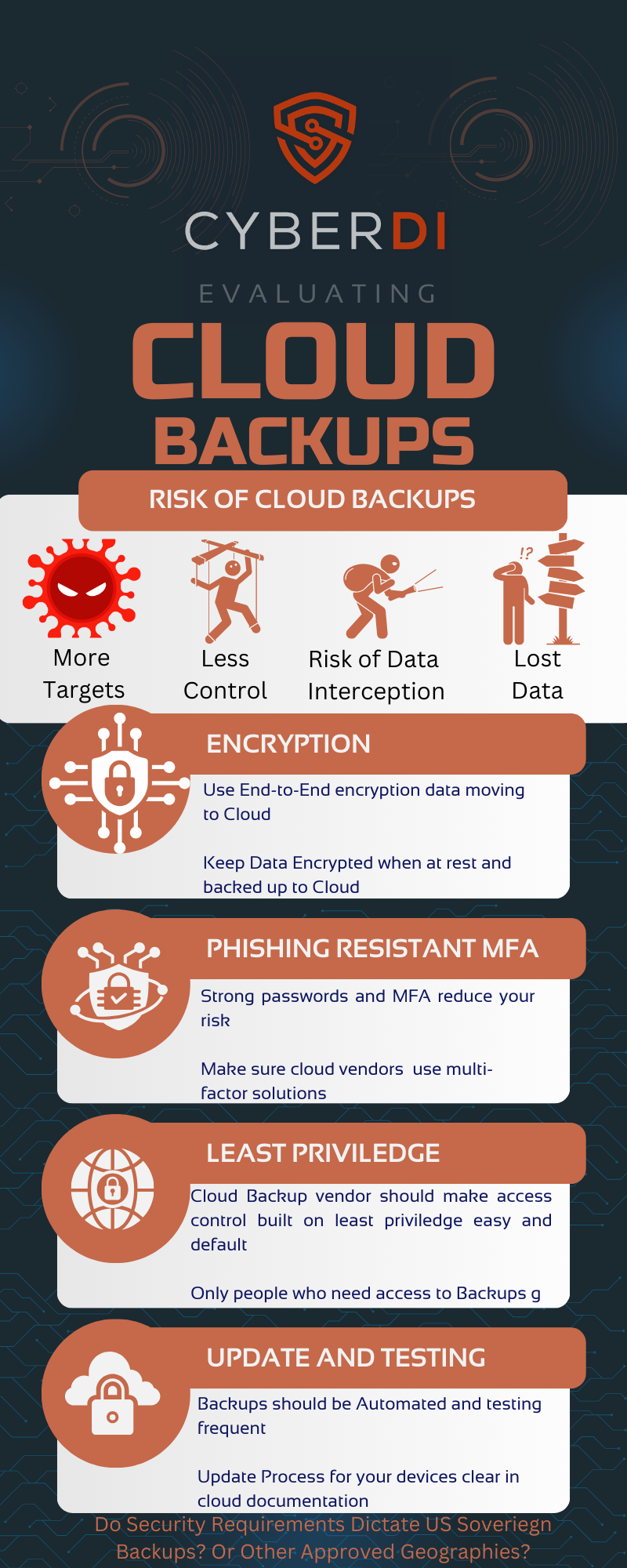
Do you use cloud back ups? If you deploy cloud back ups, and these include CUI environments do you need to choose a FedRAMP authorized or equivalent service? Is a cloud back up provider outside of your boundary control? Can you then encrypt backups and store that cipher text at rest?
For most CUI, if you encrypt your backups with validated FIPS encryption before going to the cloud that is sufficient. No FedRAMP needed. But…for Specified CUI like ITAR/Export controlled, there are some restrictions on what clouds or countries it can be stored in, even in encrypted form. Vendors may require you to choose their FedRAMP solution regardless of your data sovereignty requirements.
Choosing a FedRAMP authorized solution usually have much higher costs. Many cloud providers do not offer a FedRAMP service, but they may license software to run on prem.
Can you segment off your CUI backups? Many vendors include backup as part of their product solution. Maybe you have a cloud backup solution for out of boundary assets and a different solution for your CUI enclave.
You have alternatives to using FedRAMP cloud based solutions. Just make sure to properly scope your backups of CUI environments, but choosing FedRAMP authorized cloud back ups will be accepted by an assessor.
Back Up Best Practices
Just because CMMC does not require a back up or contingency plan you may want to take the opportunity to ensure you follow best practices.
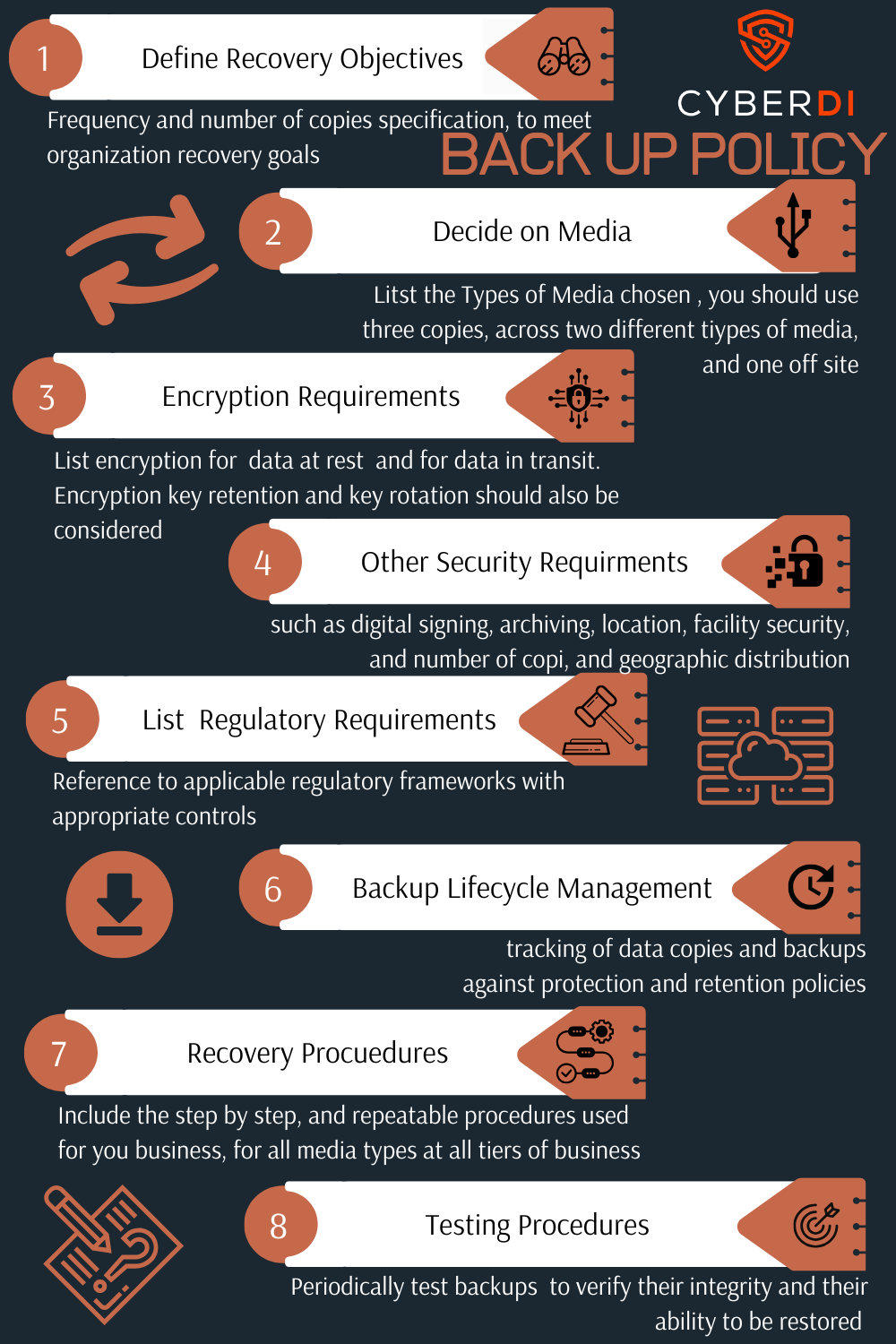
You need to develop a back up policy:
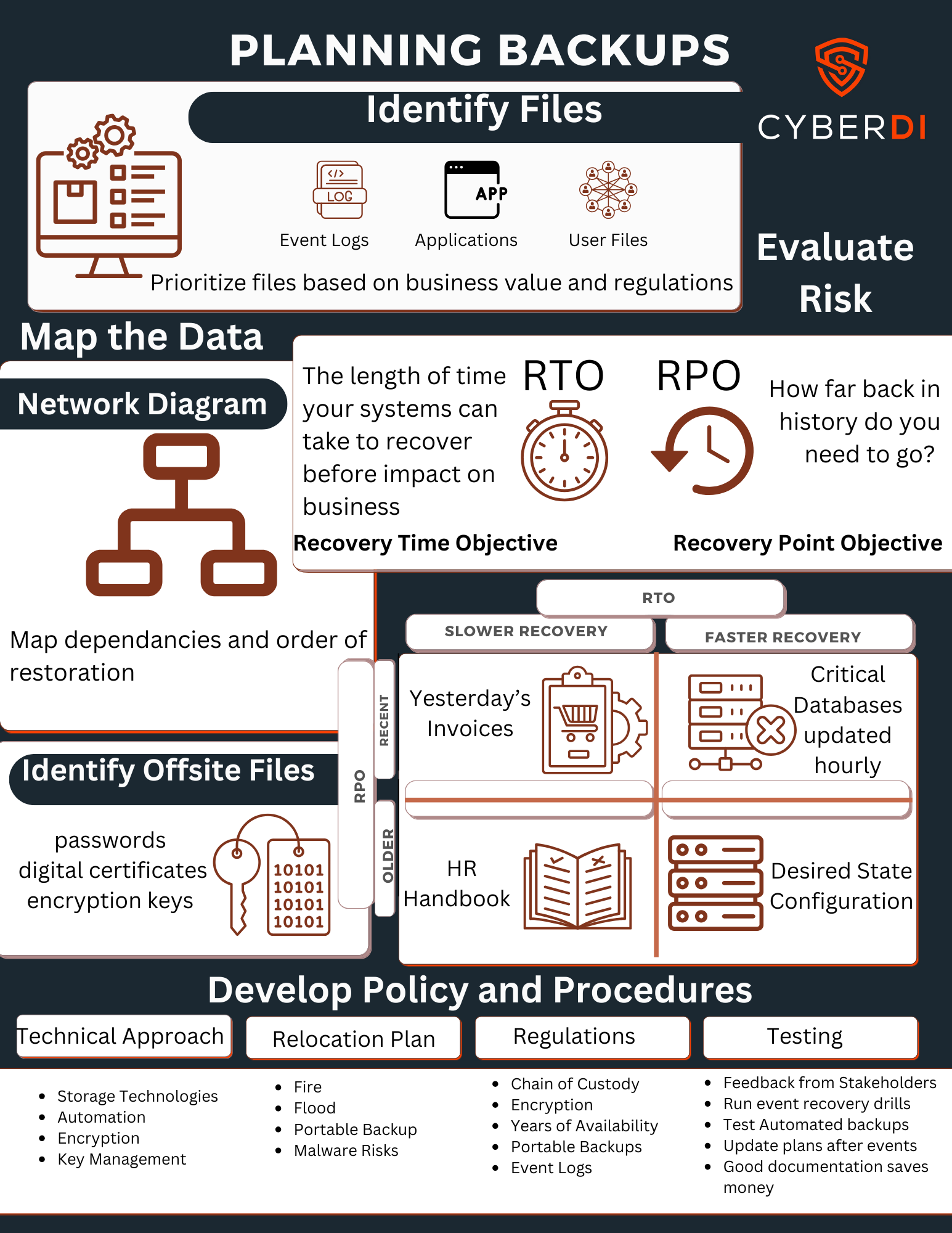
You need to develop a back up plan:
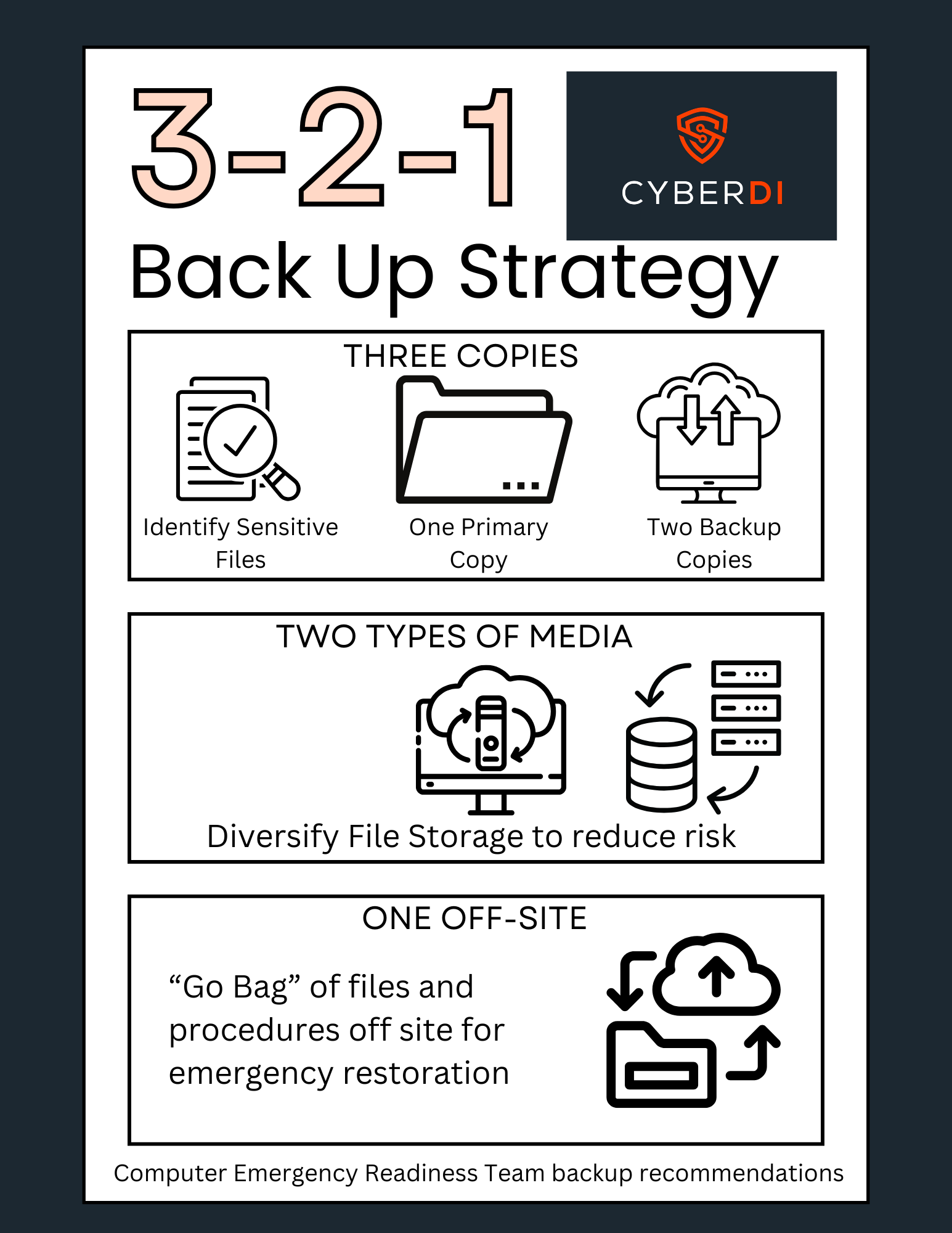
Utilize a 3-2-1 Back Up solution
Consider the implications of Cloud Back Ups
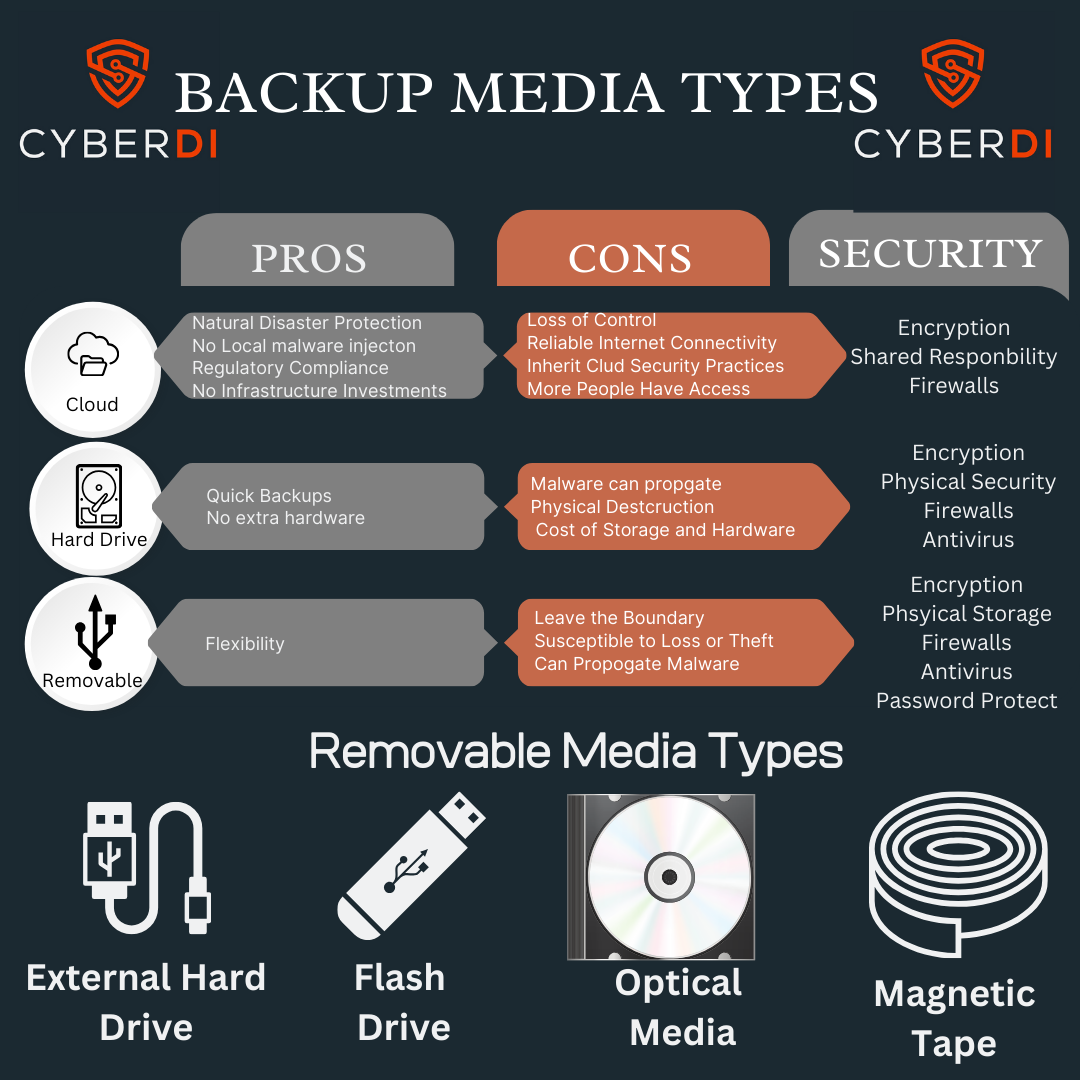
Make sure to protect your chosen Media types
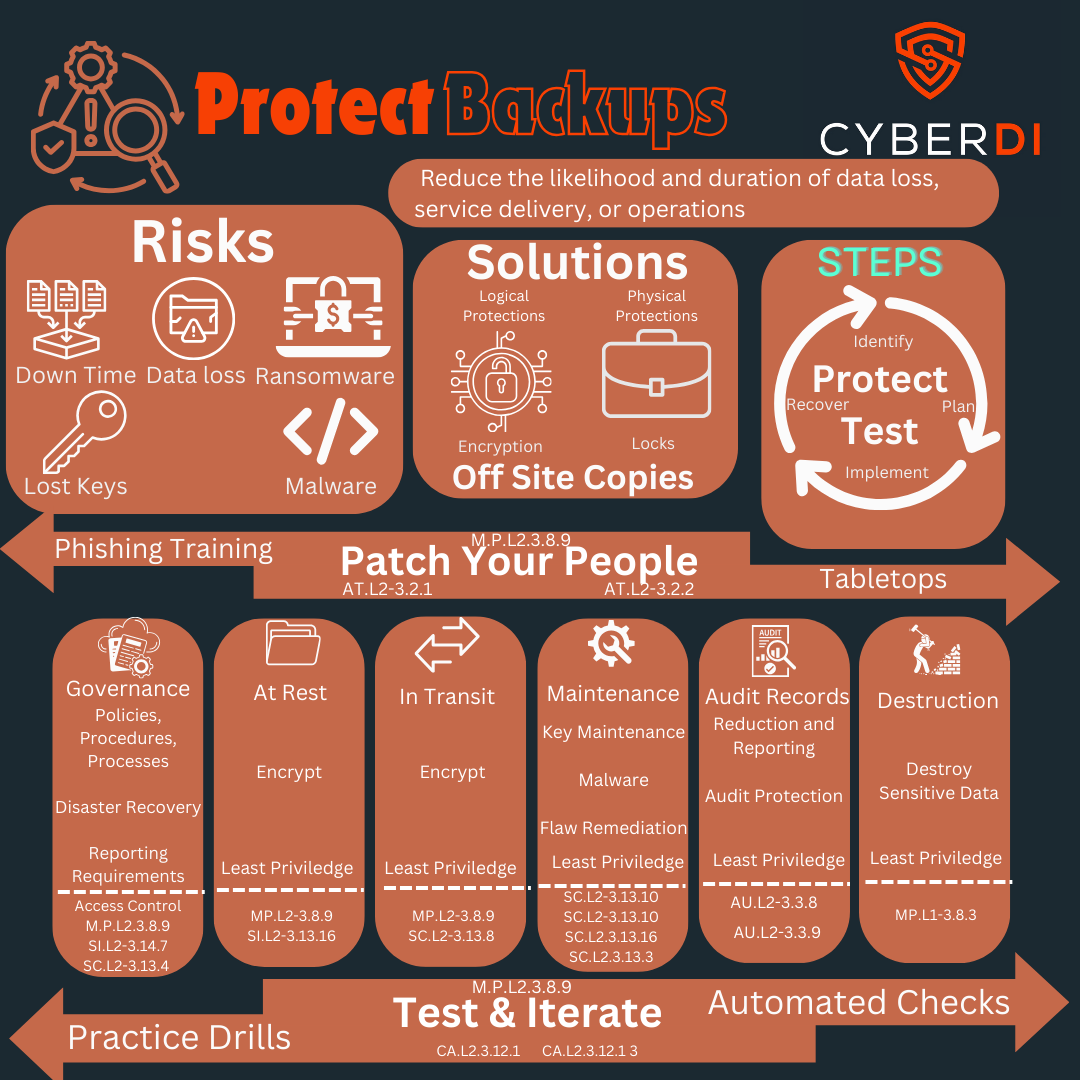
You need to protect your backups
Finally you need to test your back ups
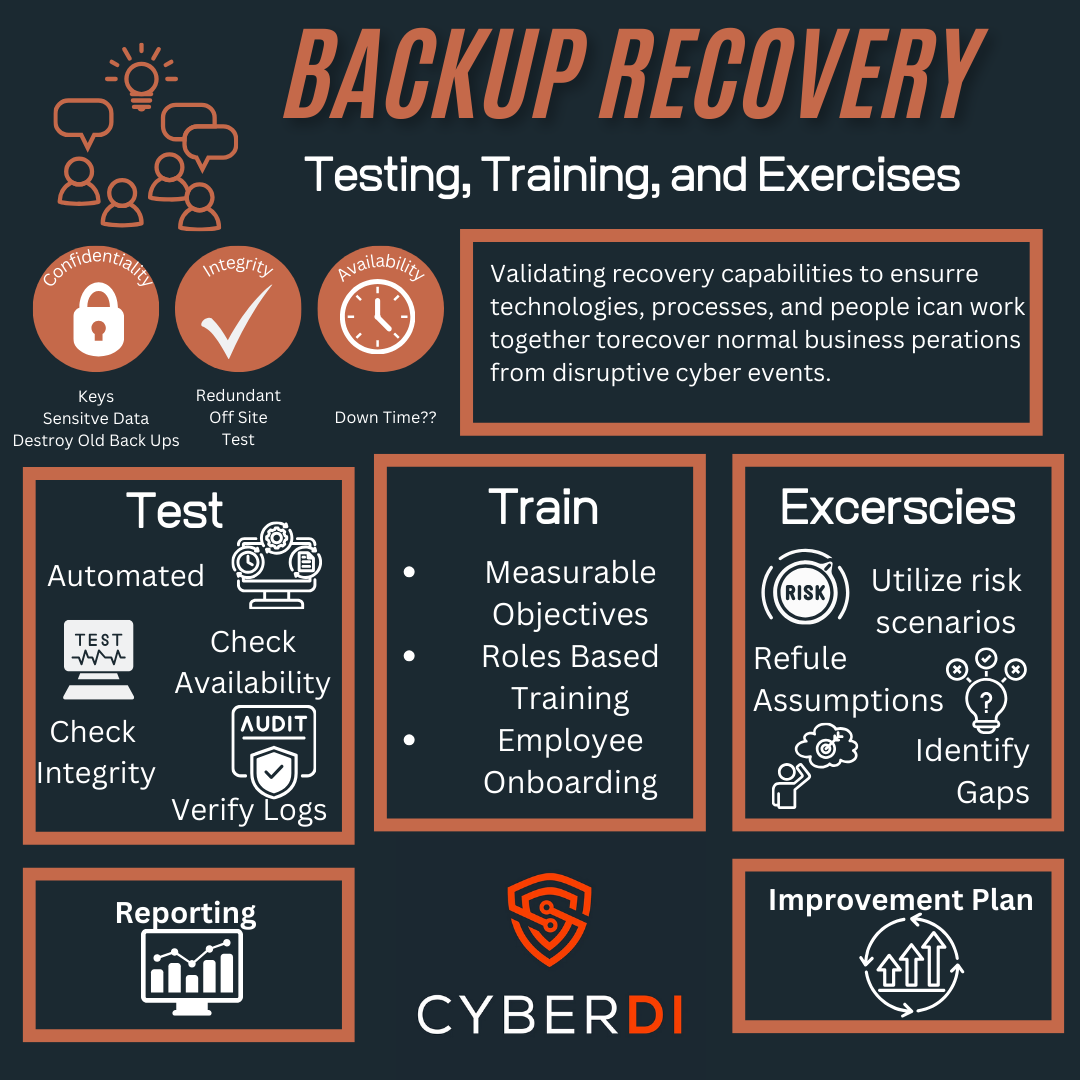
Creating Disaster Recovery and Contigency Plans
You do not need to worry about disaster recovery for CMMC compliance. You do, however, need to worry about good back ups if you care about the security of company. Utilize the momentum of CMMC to develop and test your disaster recovery. As you do document evidence for your System Security Plan